What "native Square integration" actually means in a kiosk app
A walkthrough of every Square API surface a kiosk app should exercise — Catalog, Modifier groups, Item Options, Menus, Orders, Payments, Tips, Loyalty, Gift Cards, Dining Options, Webhooks, and Multi-Location. Plus the corners that quietly break most kiosk integrations.
Most kiosk apps built for Square are translation layers. The kiosk has its own internal data model — items, modifiers, categories — and a sync job pulls from Square once an hour to keep the two in step. Edits in the Square dashboard land on the kiosk eventually. Modifier groups with min/max constraints might enforce, or might not. Item Options like sizes and temperatures may flatten into a list of variations the customer has to pick through one at a time. Loyalty and gift cards work, sometimes.
Order June was built differently. Square’s data model is the data model. Catalog, Modifier Groups, Item Options, Menus, Locations, Orders, Payments, Tips, Loyalty, Gift Cards, Dining Options, Webhooks, Multi-Location OAuth — all native, all the time. If Square supports it, Order June uses it. If Square changes it, Order June absorbs the change.
Here’s what that looks like surface by surface.
Catalog: items, variations, modifiers, modifier groups, item options
The Catalog API is where the integration starts. Order June syncs the full object graph: CatalogItem → CatalogItemVariation, CatalogModifierList → CatalogModifier, CatalogItemOption → CatalogItemOptionValue. The variation is the row that gets ordered. The modifier list is the menu of add-ons. The item option is the dimension along which an item varies (size, temperature, milk type).
The thing most kiosk apps miss: Item Options have ordinals. Square gives you a way to say “12oz Hot is the default; 16oz Iced is option two; 8oz Hot is option three.” The kiosk should respect that ordinal so the segmented control on the item-detail screen lands on the right default. Order June reads the ordinal and renders accordingly. When a merchant edits the ordinal in the Square dashboard, the next sync flips the default on the kiosk within seconds.
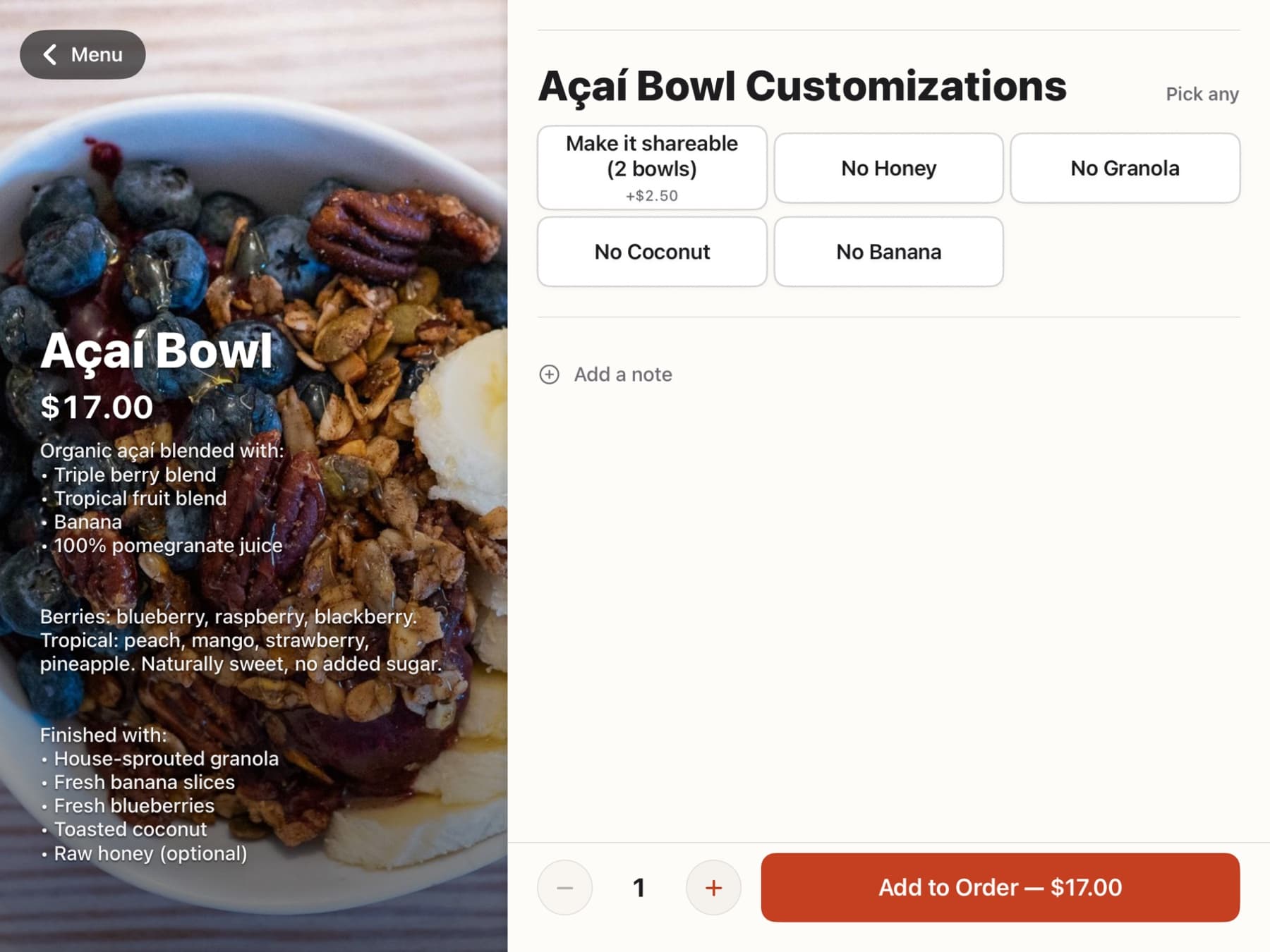
Modifier groups with min/max constraints are also enforced at the kiosk. min_selected_modifiers = 1means the customer can’t hit Add to Cart without picking one. max_selected_modifiers = 2means the third tap deselects an earlier choice. Required vs optional modifier groups render with different visual weight so the customer doesn’t miss the required ones. Hidden-online modifier lists are filtered out of the kiosk surface entirely.
Modifier price deltas are handled per-line — a +$1.50 oat milk shows the delta inline next to the modifier name and stacks correctly into the cart total. Modifier options (the rare case where one modifier carries its own variation ladder) flatten into the modifier’s option grid so the customer doesn’t face a nested-picker maze.
Menus, Categories, Multi-Location
Square’s Menu objects map item-to-category-to-menu relationships. Order June uses the Menu object to drive the left sidebar of the kiosk: tapping a category filters the grid; tapping the menu name (when a merchant has more than one menu) swaps the visible categories.
CatalogCategory tree walks are first-class. Top-level categories filter the sidebar; nested subcategories render as second-level chips when present. Cafe Meria runs a flat category list for the morning menu and a deeper category tree for the seasonal beverage menu — both render correctly without per-merchant configuration.
Multi-Location merchants get per-location scoping. A merchant with three cafes and a food truck sees four kiosk configurations, each with its own catalog override layer, its own ticket templates, its own menu pinning. The OAuth token used by Order June is location-scoped, so a kiosk can only ring up against the location it’s paired to.
Orders, Payments, Tips, Service Charges
When the customer hits Pay, Order June creates a Square Order via CreateOrder. The Order has line items (variations + selected modifiers), applied taxes, applied discounts, applied service charges (when configured), and a fulfillment record (For Here / To Go / pickup name).
Payment goes through CreatePayment with order_id bound to the Order, plus an idempotency key. Tips route through the payment-layer tip_money field— not through the Order total. This is critical: tips on the payment layer land in your staff tip pool with the correct IRS treatment, separate from revenue, separate from service charges. Most kiosk apps that get this wrong bundle the tip into the Order’s line items, which routes the tip money into revenue and creates a tax-treatment problem.
Mandatory service charges (the gratuity-included setting some merchants use for parties of six or more) flow through the Order’s service_chargesarray, which keeps them on the revenue rail with the right tax handling. Discounts (loyalty rewards, promo codes) flow through the Order’s discountsarray. Taxes resolve per-line via the modifier’s tax inclusions, with multi-jurisdiction stacking handled by Square’s engine.
Idempotency keys let Order June retry safely when the network hiccups. The kiosk holds the key, retries on transient failure, and never double-charges a customer.
Loyalty: phone lookup, signup, reward redemption
Loyalty starts with the phone-lookup tap on the kiosk. The customer types their phone; Order June calls SearchLoyaltyAccounts to find a match. If the account exists, points attach to the Order via AccumulateLoyaltyPoints after payment.
If the phone doesn’t match, the kiosk asks if the customer wants to sign up. One tap fires CreateLoyaltyAccount, binds it to the Order, and proceeds. The customer never has to type their email or fill out a form mid-rush. The account they just created earns points on this Order and every future Order that uses the same phone.
Reward redemption flows through CalculateLoyaltyPoints → CreateLoyaltyReward → RedeemLoyaltyReward. The redemption applies as a Discount on the Order, the customer sees the savings on the cart rail, and the points balance updates after payment.
Gift cards: QR + GAN, partial-tender, clean refund splits
Gift cards are native. The customer can present a QR code (Square Wallet, partner wallet, or a printed gift card) or type the 16-digit GAN by hand. RetrieveGiftCardFromGAN pulls the balance; the kiosk shows the available amount, the Order total, and (when needed) the remainder the customer will need to cover with another tender.
Partial-tender works seamlessly. A $35 Order with a $20 gift card balance routes $20 through the gift card viaCreatePayment with source_type="GIFT_CARD", then prompts the customer for a $15 card payment. Both payments bind to the same Order. Refunds — when needed — split cleanly across both tenders without manual intervention.
Most kiosk apps treat gift cards as a checkbox. We treated them as a flow worth obsessing over.
Dining Options + Webhooks: real-time menu propagation
Dining Options live on the Order’s fulfillment record. Order June sets fulfillments[].pickup_details.note with the For Here / To Go choice (and per-line overrides for mixed orders), and the kitchen ticket renders the choice as an inverted bold badge so the line cook plates correctly without thinking.
Webhooks keep the kiosk in step with the Square dashboard in real time. Order June subscribes to catalog.version.updated, inventory.count.updated, order.updated, and payment.updated. When a merchant edits a price, a description, or a photo in the Square dashboard, the catalog webhook fires within seconds, our edge function ingests the diff, and every kiosk in the fleet picks up the change via Supabase Realtime — typically under five seconds end-to-end.
Sold-out propagation rides the same rails. When staff 86 a menu item in the Order June admin, the override writes tocarafe_item_overrides, broadcasts via Realtime, and every kiosk in the room crosses out the item within a second. The Square catalog stays untouched, so when the item is back in stock you flip one toggle and the override clears everywhere.
OAuth, multi-location scoping, Vault token storage
Square OAuth happens once at onboarding. The merchant clicks Connect to Square in the Order June admin, authorises the scopes Order June needs (MERCHANT_PROFILE_READ, ITEMS_READ, ITEMS_WRITE, ORDERS_READ, ORDERS_WRITE, PAYMENTS_READ, PAYMENTS_WRITE, LOYALTY_READ, LOYALTY_WRITE, GIFTCARDS_READ, GIFTCARDS_WRITE, and the location scopes for every Square location they want to run kiosks at), and OAuth callback writes the access token + refresh token directly into Supabase Vault.
Tokens are never stored in plaintext columns. They live only inside Vault, accessed through SECURITY DEFINER helpers that scope each lookup to the merchant making the call. The plaintext token never leaves the database server. Token rotation runs in the background — refresh tokens are used before they expire, the new access token replaces the old one in Vault, the kiosks see no interruption.
Multi-location scoping keeps every API call narrow. A kiosk paired to Location A can only ring up against Location A, even though the merchant’s OAuth token covers the whole account. The kiosk-to-location binding is the security boundary; the OAuth token is the auth boundary; the two are independent.
The corners that bite most kiosk apps
A few specific traps Order June got right:
Modifier list min on a SINGLE selection_type. Square’s catalog allows modifier lists with selection_type=SINGLE to define min_selected_modifiers, but Square Online silently ignores it when min>0. We enforce it in the kiosk surface so a required-single modifier really is required. We also flag the shape in our nightly modifier-shape audit, so merchants get a heads-up if their Square Online checkout would silently break.
Hidden-online vs default-on the same modifier. A common Square shape: a takeaway-cup modifier with hidden_online=true AND on_by_default=true. Square Online won’t auto-pick it (because hidden), and won’t let the customer pick it either, so the cart fails the modifier contract and the checkout breaks silently. Our audit flags this exact shape; the kiosk handles the in-store version cleanly because it isn’t bound by the online-checkout visibility rule.
Item Option ordinals overriding variation ordinals. When an item has both Item Options AND a Variations array, the Item Option ordinals win for default selection, not the Variation array order. Most kiosk apps render based on Variation order and end up with the wrong default selected. Order June walks the Item Option ordinals first.
Per-line applied taxes with modifier inclusions. Modifiers can carry their own tax inclusion list. A drink taxable in the base item but the syrup add-on flagged as non-taxable (rare but real) requires the kiosk to walk the modifier inclusions per line, not just inherit from the parent item.
Each of these is a corner. Most kiosks miss at least one. Order June was built around them.
Where to start
If you run a Square business and you’ve been wondering why your existing kiosk software feels like a translation layer — silently dropping modifier constraints, fumbling gift-card partial-tender, bundling tips into revenue — Order June launches June 1, 2026 on the Apple App Store and Square’s App Marketplace. Get on the early-access list to be among the first businesses to install it.
Frequently asked
- What does "native Square integration" actually mean?
- It means the app uses Square's data model — Catalog, Modifier Groups, Item Options, Menus, Locations, Orders, Payments, Loyalty, Gift Cards, Dining Options, Webhooks — as its native shape rather than translating from a different schema. The dividend is that every Square capability is available without an integration layer, and edits in your Square dashboard flow to the kiosk in seconds.
- Do I need to set up my menu twice — once in Square and once in Order June?
- No. Square is the source of truth. Order June syncs your Catalog (items, variations, modifiers, item options, photos, taxes), your Menus, and your Categories. Edits flow via Webhooks; the kiosk catches up in seconds. Anything you override in Order June lives in a separate override layer so a future Square sync never stomps it.
- How does Order June handle Square Modifier Groups with min/max constraints?
- It enforces them at the kiosk. If a modifier group has min=1, the customer can't proceed until they pick one. If max=2, the third tap deselects an earlier choice. Most kiosk apps either ignore the constraint or enforce it inconsistently; we treat min/max as part of the contract.
- What about Square Item Options (sizes, colors, etc.)?
- Item Options are first-class. The 12oz / 16oz Hot / Iced size ladder renders as a segmented control. Item Option ordinals from Square decide which variation is the default. Mixed orders (Hot 12oz vs Iced 16oz) work without the customer thinking about which variation they're picking.
- Does Order June use Square's Orders and Payments APIs, or does it just charge a card and skip the order trail?
- It uses Orders + Payments + PayOrder properly. Every kiosk transaction creates a Square Order with line items, modifiers, applied taxes, discounts, and (when relevant) tips on the payment layer. The Order shows up in your Square dashboard, in your reports, in your sales mix, in your accountant's export.
- Where do tips end up — in revenue or in the staff tip pool?
- Tips route through Square's tip field on the payment layer (CreatePayment with the tipMoney parameter), which means they land in your staff tip pool with the correct IRS treatment. Mandatory service charges stay separate via Order-level service-charge objects, so they route to revenue with the right tax handling. Most kiosk apps bundle tips into the Order total, which is the wrong rail.
- How are Square Loyalty members handled?
- Phone-number lookup via Loyalty's Search API. Type the phone, points attach to the Order automatically. If the phone doesn't match an existing member, the kiosk asks if the customer wants to sign up — one-tap creates a Loyalty account through CreateLoyaltyAccount and binds it to the Order in the same flow. Reward redemption flows through CreateLoyaltyReward + RedeemLoyaltyReward.
- What about Square Gift Cards?
- Native: scan the QR code or type the 16-digit GAN. Partial-tender works — apply the gift card balance, the customer covers the rest with their card. Refunds split cleanly across both tenders. Most kiosk apps treat gift cards as an afterthought; we obsessed over the flow.
- How does sold-out propagate across multiple kiosks?
- Webhooks + Realtime. When staff mark an item 86 in the Order June admin, the change writes to the override layer and broadcasts via Supabase Realtime. Every kiosk in the fleet crosses out the item within a second. Square's catalog stays untouched (the override layer is separate from the canonical menu); when the item is back in stock, you flip one toggle and it un-86's everywhere.
- What does Order June do with Square Webhooks?
- Subscribes to catalog.version.updated, inventory.count.updated, order.updated, and payment.updated. Catalog edits in the Square dashboard propagate to the kiosk via webhook (typically under five seconds). Inventory adjustments trigger sold-out propagation. Order/payment events feed our analytics layer. The webhook receiver is signature-verified end-to-end.
Built for Square — natively, end to end.
Launching June 1, 2026 on the Apple App Store and Square’s App Marketplace. Drop your email and we’ll send eight short notes between now and launch — one per part of the product.