The smartest kiosk app for Square businesses launches June 1.
Built for Square from the first line of code. Forged in a real busy cafe. Apple App Store and Square’s App Marketplace, same day.
Live at Cafe Meria — Charlevoix, Michigan — through three peak summer seasons.
The flow
Thirty seconds from walk-up to “see you in a sec.”
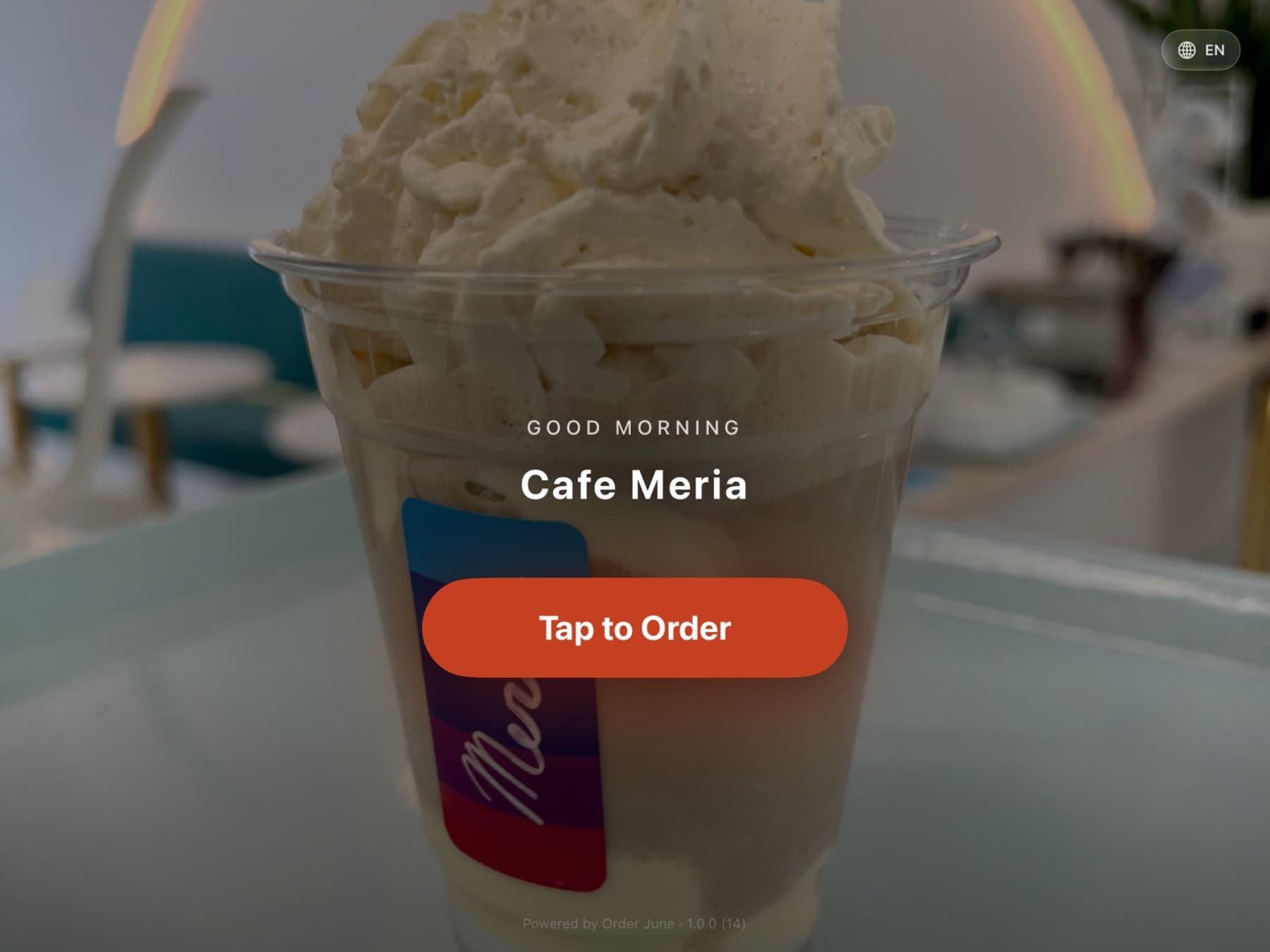
Every pixel is doing work. No clutter, no surprise, no cognitive overhead. Here’s what a customer actually sees.
Step 01
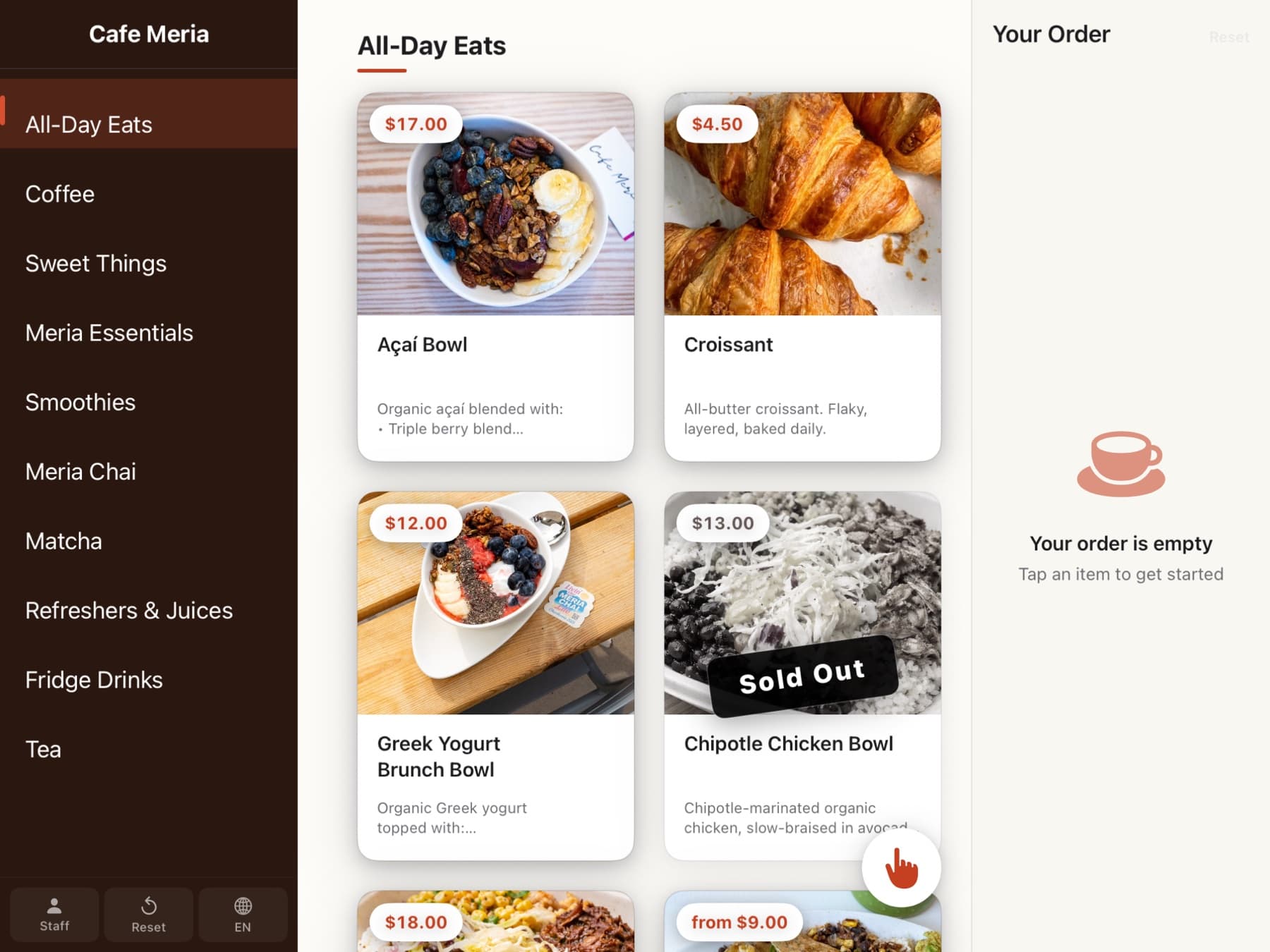
Browse the menu
Photo-forward grid. Category sidebar or top tabs — the owner picks the layout. Sold-out items fade gently; allergen badges show at a glance.
Step 02
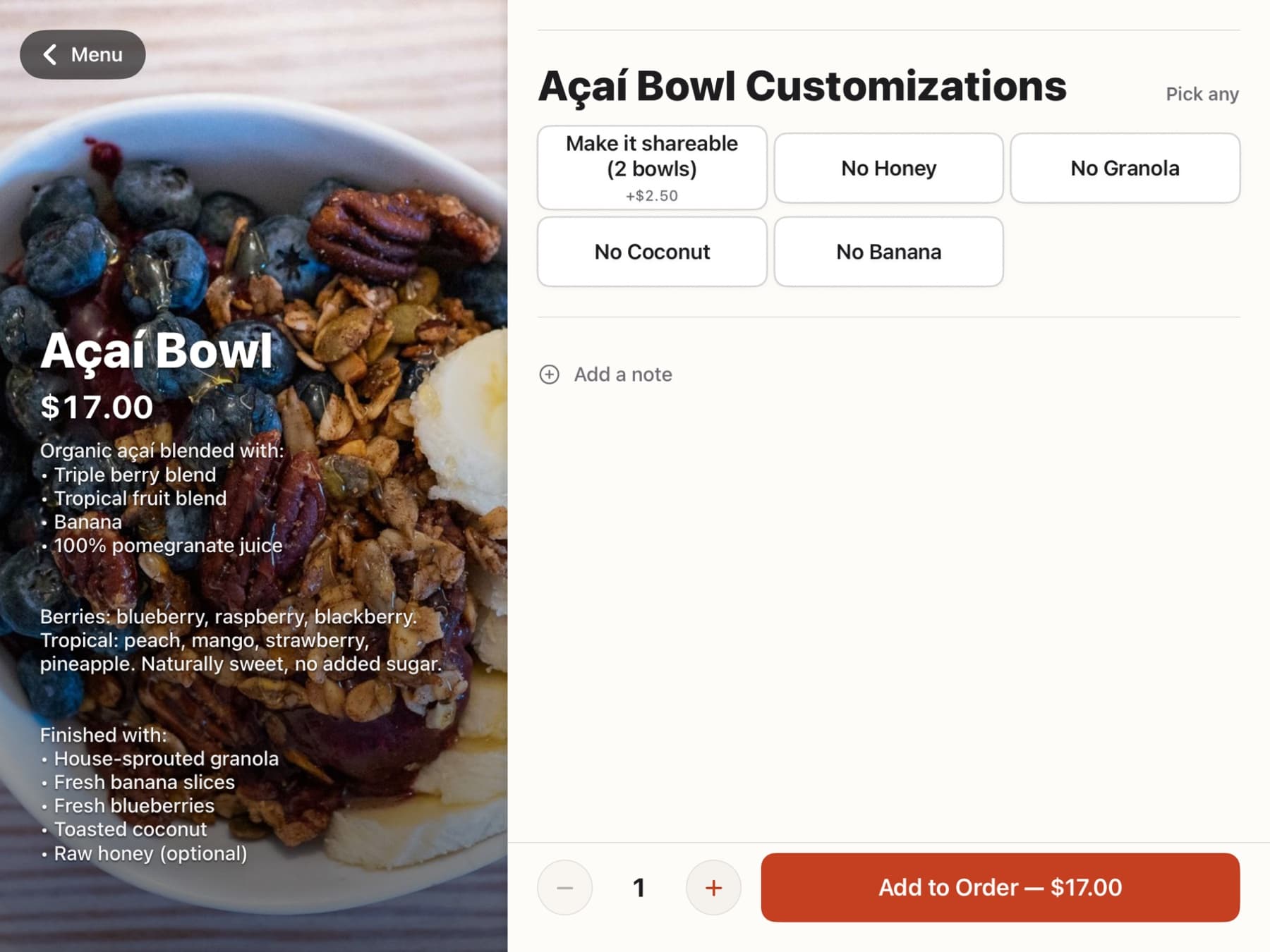
Build the order
Tap an item. Required modifiers come first. Sizes, milks, temperatures, special requests. Dietary filters match what’s on the shelf.
Step 03
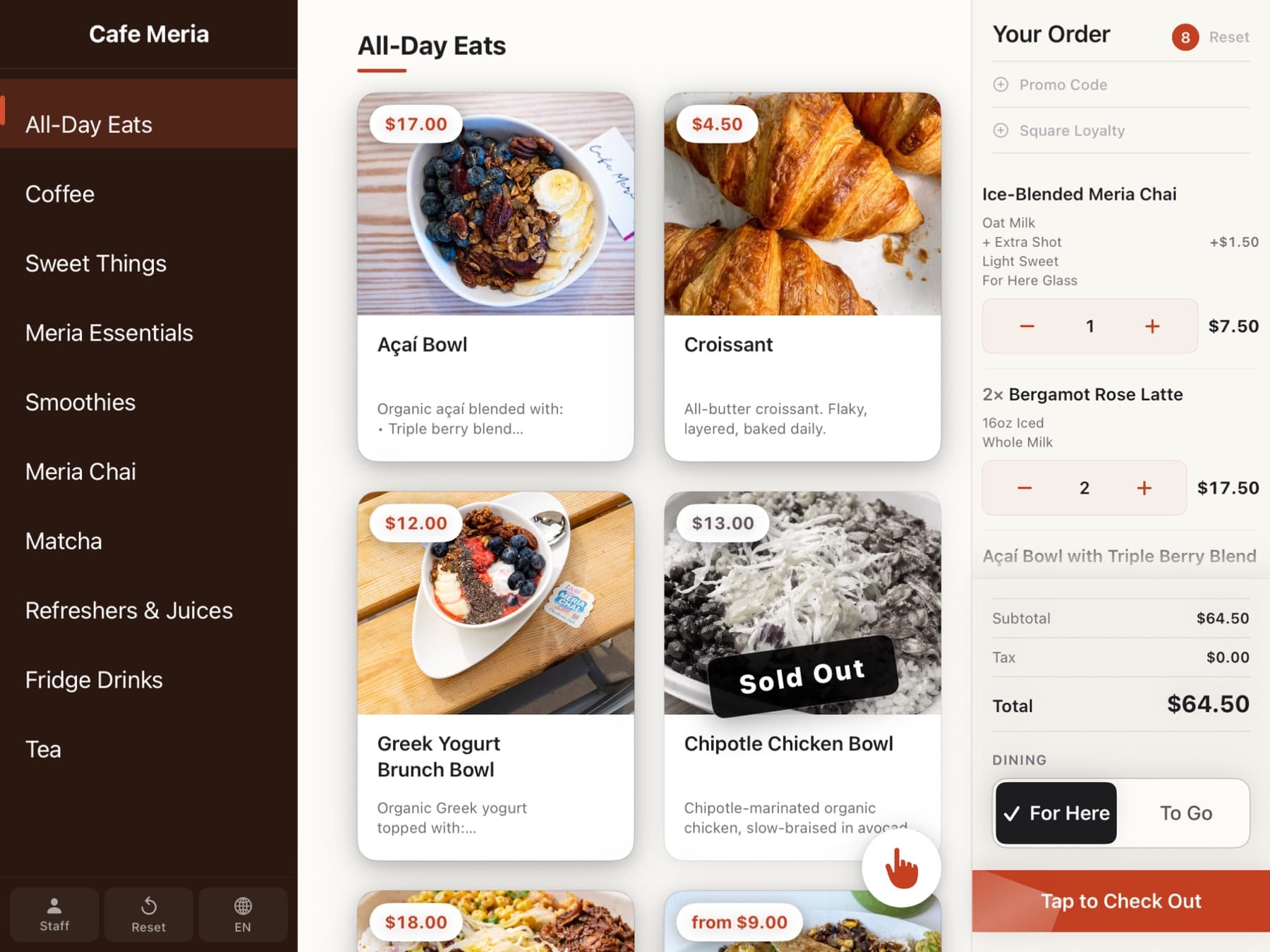
Review the cart
The live cart rail runs down the right side the whole time. Adjust quantities with gentle +/– steppers. Promo codes and loyalty fit right in.
Step 04
Pay, done
Tap Checkout. Tap or insert the card on the Square Reader. Apple Pay works. Tips and service charges handle correctly — tips to the staff, service charges to the business.
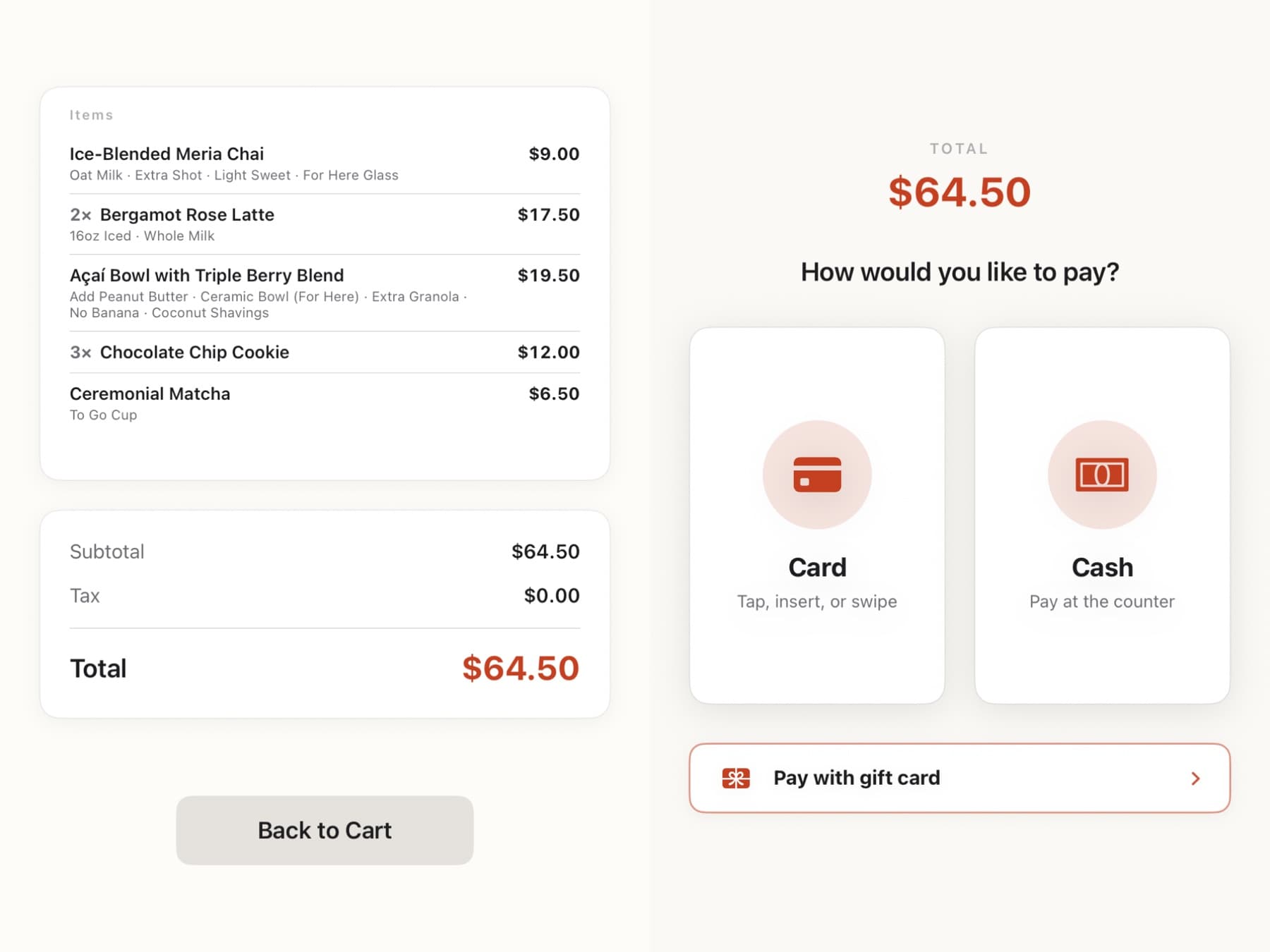
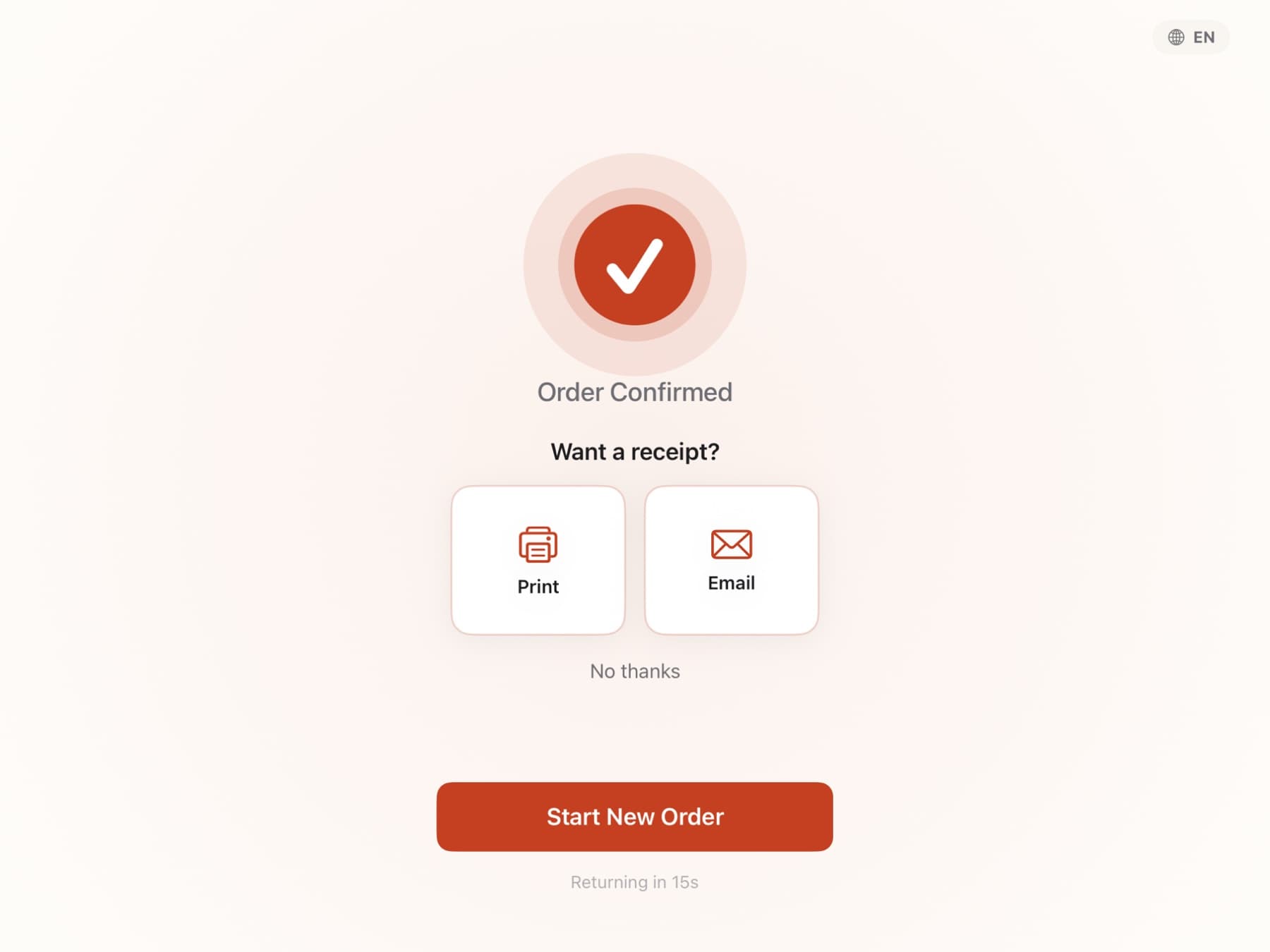
Order number on the screen. Receipt by email, text, or print. Fifteen seconds later the attract screen is back and the next person is ordering.
What’s different
Six things that make the flow feel calm, fast, and fair.
Order June is a product built for the walk-up — not point-of-sale software bolted onto a big iPad.
Real-time sold-out sync
Mark a drink sold out on your Square dashboard. It disappears from every kiosk in the room within a second. No polling, no refresh, no "oops, the blueberries are gone."
Loyalty that signs people up from the kiosk
Type your phone. If you’re a member, points attach. If you’re not, the kiosk asks if you want to sign up in one tap. Square Loyalty accounts created in seconds.
Dietary filters customers actually trust
Vegan, dairy-free, gluten-free, nut-free, halal, kosher — tagged on every item. Filter the menu. Allergy callouts print on the kitchen ticket automatically.
Kitchen tickets your staff can read at a glance
Sticky thermal printers. The customer’s name or table number in huge bold type. Modifiers as bullets. Allergy blocks inverted. Die-cut labels align.
Tips go to staff. Service charges go to the business.
Order June routes customer-chosen tips through Square’s tip field — they land in your staff tip pool, not your revenue. Mandatory service charges stay separate.
Fast when the Wi-Fi isn’t
Menu lives locally on the iPad. Orders queue if the network hiccups. A rough morning at the café doesn’t become a rough morning at the counter.
For the owner
Run the whole room from your phone.
Connect your Square account. Your menu syncs in under thirty seconds. Every change you make in Square flows to every kiosk. When you need to override — raise a price just at one kiosk, rename an item, hide a drink for the afternoon — do it from anywhere. Your Square catalog stays untouched.
- Pair new iPads in 10 seconds.
- Override prices, names, photos — per kiosk or across the room.
- 86 an item from your phone; it disappears instantly.
- See each kiosk’s live status + today’s sales.
- Roll a bad edit back with one tap.
- Invite staff with scoped roles — cashier, manager, owner.
Built to be trusted with your customers’ cards and your crew’s tips.
Payments go through Square. Card data never touches our servers. OAuth tokens encrypted at rest. Every admin change written to an append-only audit log. No ads, no data resale, ever.
Be among the first to install it.
Drop your email. We’ll send eight short notes between now and launch — one per part of the product — then ping you the moment Order June hits the App Store.