Skip to content
Order June
  • Pricing
  • Features
  • Demo
  • Changelog
Owner sign in
Demo walkthrough

See the kiosk before you install one.

Real screenshots from the Order June iPad app, in the order a customer would see them. The attract screen, the menu, the cart, the payment. No signup needed.

Owner sign in
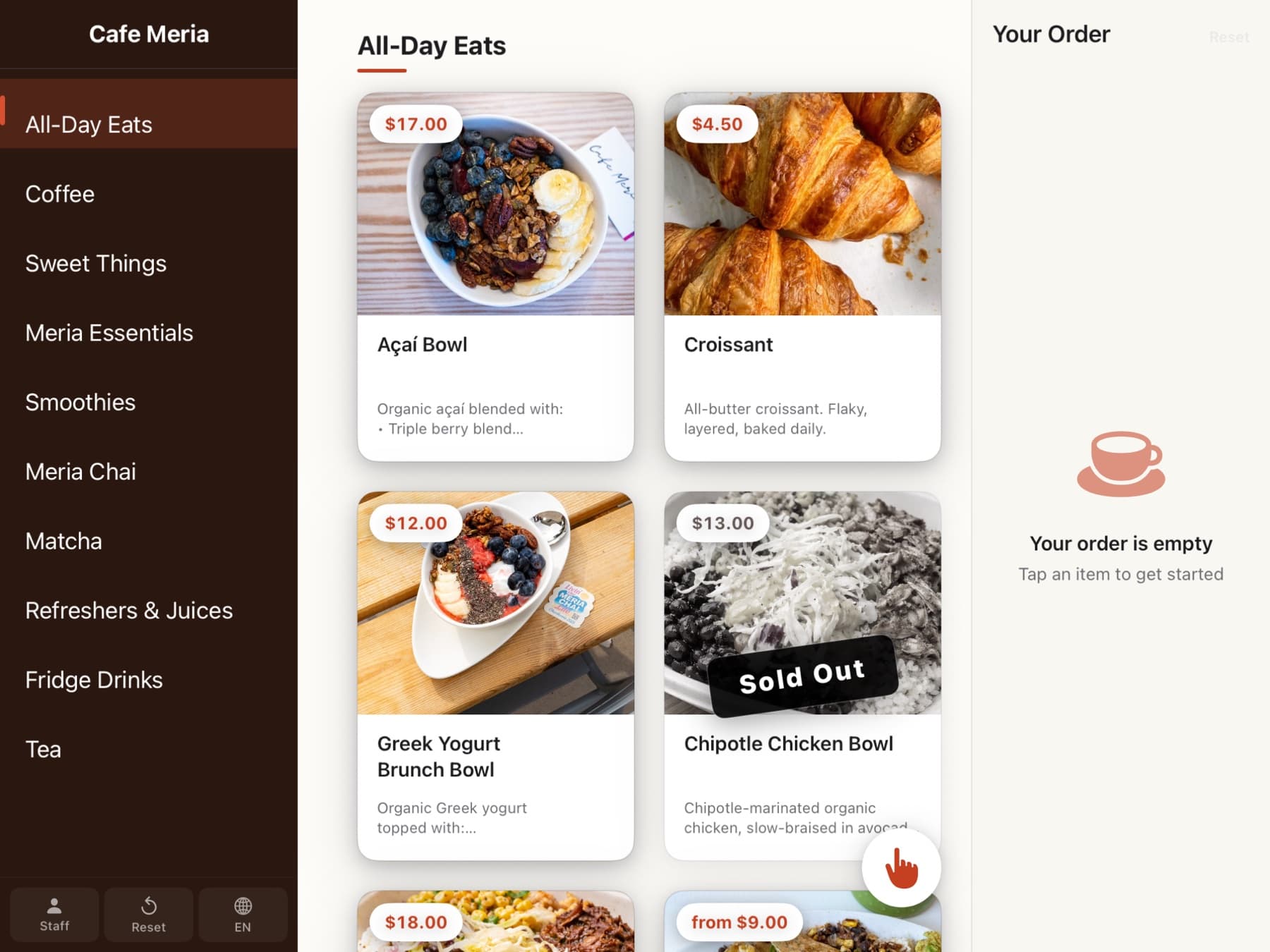
The menu view on Order June — grid of item tiles with photos and prices, category sidebar on the left

Menu

Photo-forward grid. Category sidebar or top tabs, your call. Sold-out items fade gently.
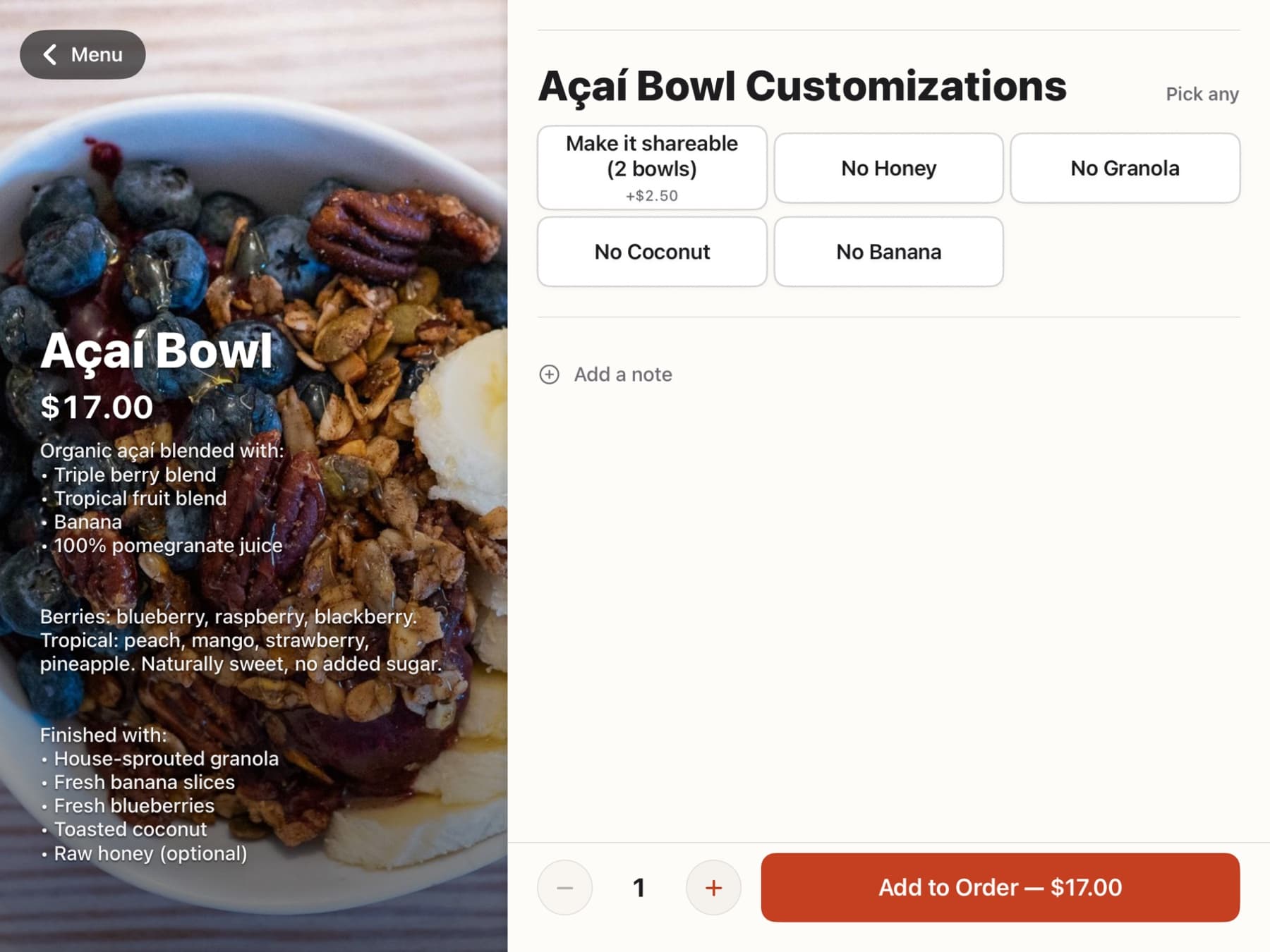
The item detail screen with modifier choices and an Add to cart button

Item detail

Required modifiers first. Sizes, milks, temperatures, special requests. Dietary badges visible.
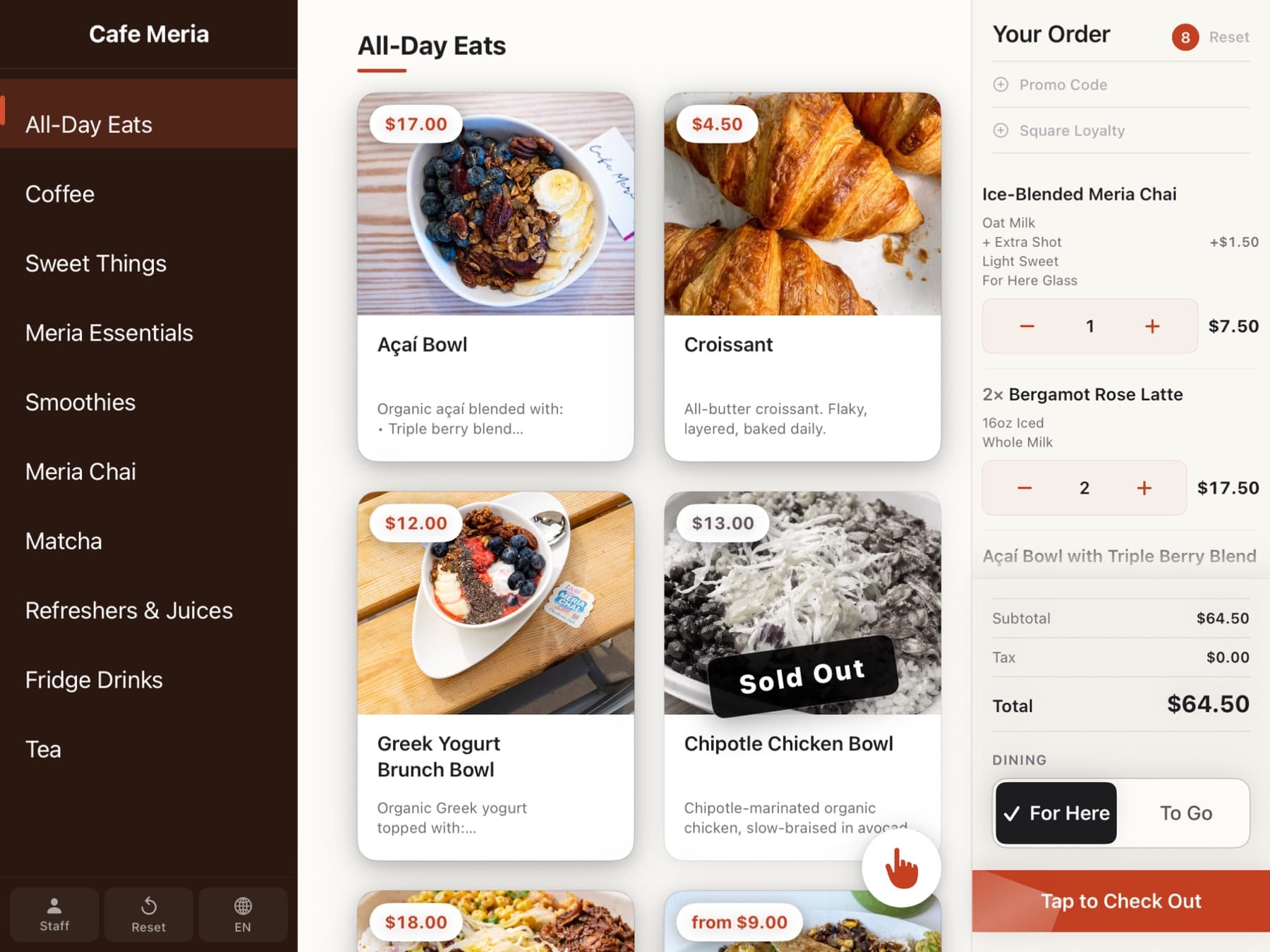
The cart rail with item card, stepper, and order summary

Cart rail

Live on the right side the whole time. Promo codes and loyalty fit in without clutter.
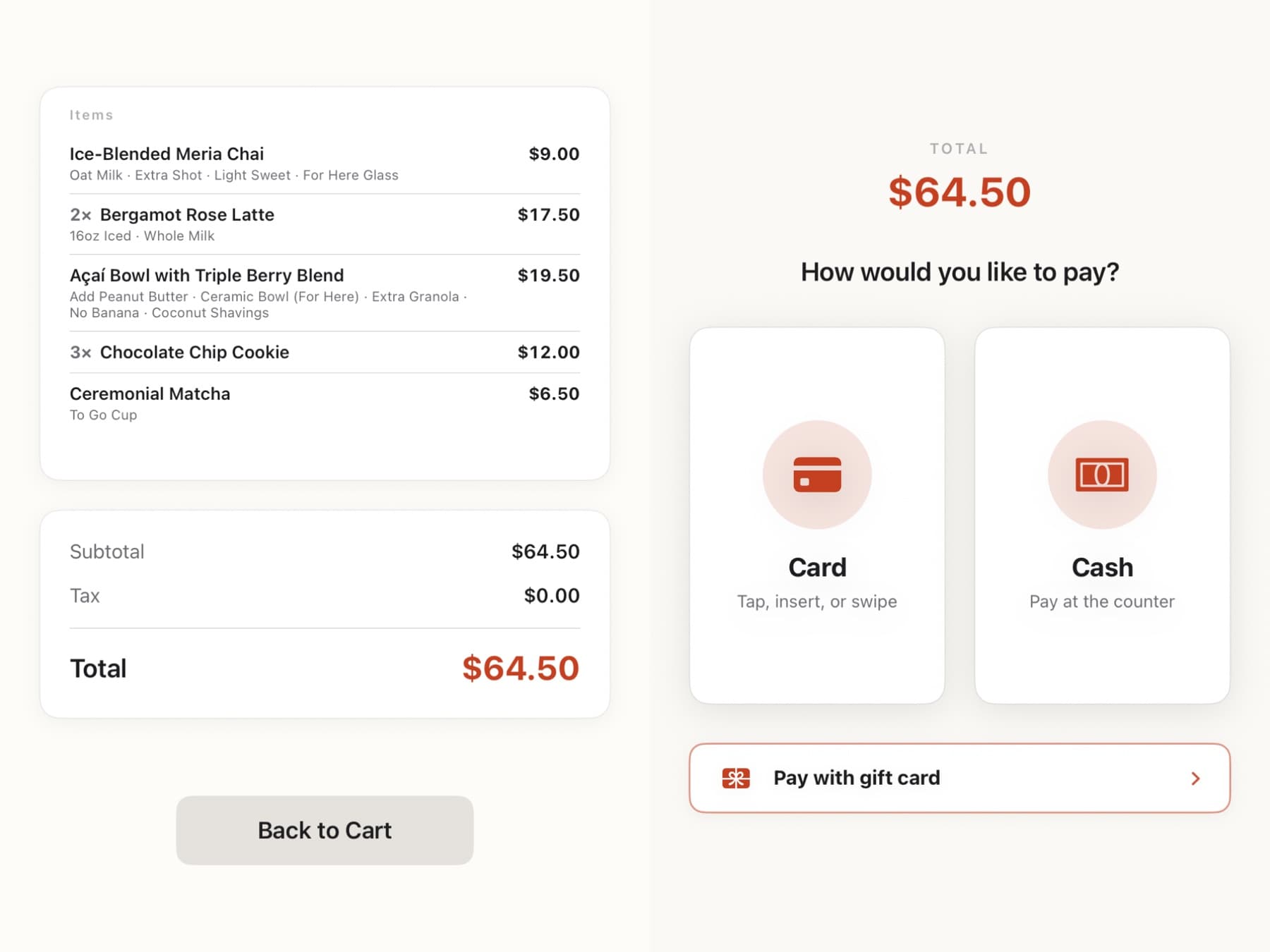
The payment screen prompting the customer to tap or insert their card

Payment

Tap, insert, or Apple Pay on the Square Reader. Tips go to staff. Service charges stay separate.

Want to put one in your cafe?

Sign in with your email. We stand up a real workspace in under 30 seconds. Cafe Meria runs Order June in production today.

Start with your email
Order June

The self-order kiosk for cafés, restaurants, and food trucks on Square. Built in Meria, LLC.

Product

  • Pricing
  • Features
  • Demo
  • Changelog
  • Roadmap

Trust

  • System status
  • Terms
  • Privacy
  • Support

Company

  • Owner sign in
  • Contact

© 2026 Meria, LLC. All rights reserved.

Order June is a Meria, LLC product. Square is a trademark of its respective owner.