How a self-order kiosk transforms a Square-powered business
When the customer types their own order, remakes drop, throughput rises, and the morning rush stops feeling like crisis management. A look at the customer flow, the multi-kiosk fleet behaviour, and what "native Square" actually means in a kiosk app.
Every cafe, restaurant, and food truck on Square has the same quiet leak. The line at the counter moves a half-second slower than it should. The remake rate ticks up across the morning. The cashier’s posture stiffens around eleven. Someone’s drink came out wrong, and the team is making it again while the next four customers wait.
The leak is verbal handoff. The customer says one thing. The cashier hears another. The drink goes out. The drink comes back. Multiply by five drinks an hour and a busy Saturday in July becomes an exercise in apology.
A self-order kiosk fixes that, but only if it’s built around the customer’s mental model — not around the point-of-sale schema underneath. Most kiosk apps are POS software bolted onto a big iPad. Order June was built the other way around: a product designed for the walk-up, with Square underneath as the data model.
Here’s what changes when the kiosk is the point of contact.
1. Remakes drop because the order is the order
When the customer types their own order, the gap between “what they wanted” and “what got rung in” closes. There is no transcription. There is no ambient noise. There is no “oat” that gets heard as “almond.” The customer reads back what they tapped before they pay. If it’s wrong, it’s wrong because they tapped wrong — not because the cashier misheard.
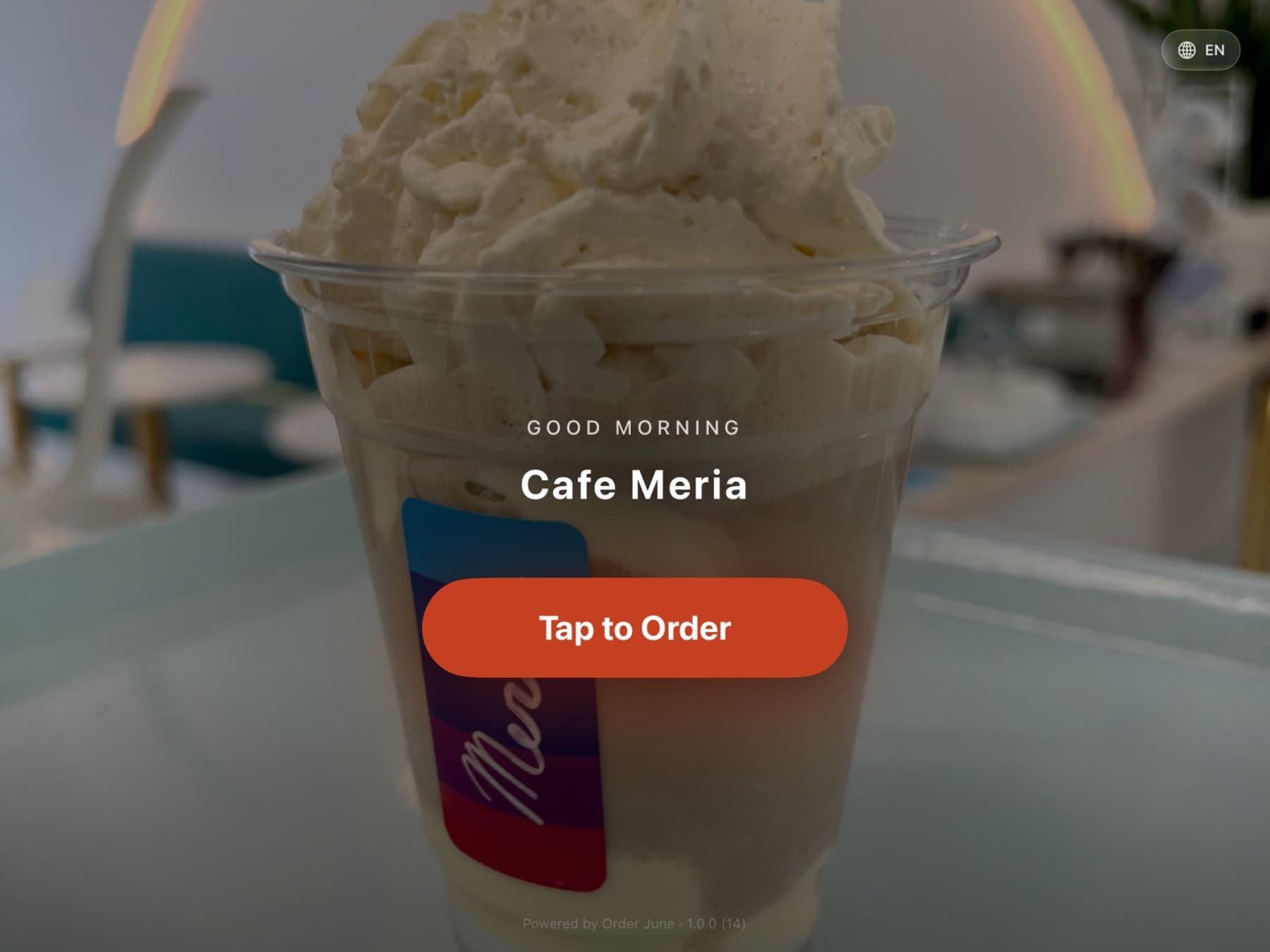
At Cafe Meria — the cafe in Charlevoix, Michigan where Order June was forged — verbal remakes were the single biggest cause of mid-rush back-ups. The first weekend the kiosk replaced the verbal handoff for morning custom drinks, the line moved noticeably faster.
2. Throughput rises because the customer sets the pace
A counter-cashier transaction is paced by the slowest party. If the cashier is fast and the customer is slow, the cashier waits. If the cashier is slow, the customer waits. Either way the line behind them stops moving.
A kiosk decouples that. Two kiosks running in parallel let two customers process at their own pace simultaneously. A customer reading the menu for the first time gets the time they need without holding up a regular who knows their order by heart. The math is simple: you replace one serialised station with N parallel ones.
Most cafes that install a single kiosk see throughput rise 20% in the morning rush. Cafes that install two see closer to 35%. The gain isn’t linear, because the kitchen becomes the bottleneck — but the line at the counter, which is the customer-facing pain, evaporates.
3. Loyalty signups happen at the kiosk, not at checkout
The friction of “give us your phone” at the cashier’s prompt is real. The customer feels watched. The cashier feels pushy. The result is that loyalty programs at most cafes underperform because the prompt lives in the wrong moment.
On the kiosk, loyalty becomes calm. Type your phone if you have an account. Tap to sign up if you don’t. No one is watching. The customer is in control. Square Loyalty accounts get created in seconds, points attach automatically on every future visit, and the cafe owns a long-term relationship that didn’t exist before.
4. Tipping rises — without dark patterns
Most kiosk tip prompts use dark patterns: giant pre-selected buttons at 25%, hidden “No Tip” buried under three taps, custom amounts that take real effort to find. The lift in tip rate that vendors brag about comes from manipulation. Customers feel it. Long term, they tip less, not more.
Order June’s tip prompt is the opposite. Five equal-size buttons. Live cents math under each. Transparent disclosure copy that you can configure (or mute) per merchant. Custom mode that accepts $2.50 or 25%. The lift in tip rate is real because the customer trusts the prompt.
Practically: tips route through Square’s tip field on the payment layer, which means they land in your staff tip pool with the correct IRS treatment. Mandatory service charges stay separate, route to your revenue, and get the right tax handling. Most kiosk software gets this wrong.
5. Multi-kiosk fleets behave as one
A single kiosk is a useful tool. Two kiosks running independently is a problem. Two kiosks that share state — that’s a fleet.
Order June handles fleets natively. Atomic server-side order numbering means no two iPads ever ring up the same number, even when they fire orders in the same second. When staff mark a drink sold out, every kiosk in the room crosses it out within a second via Realtime. Broadcast pause and resume controls let you manage the whole room from your phone — useful when a Square Reader hangs on one station, essential when a power strip pops.
Per-kiosk ticket templates and menu pinning are first-class too. The patio kiosk at Cafe Meria runs a limited menu in the afternoon. The counter kiosk runs the full menu. Both update over Realtime when the owner adjusts the pinning from a phone, with no need to restart anything.
6. The Wi-Fi flake doesn’t become a customer crisis
Tourist towns have hot Wi-Fi. Residential intersections have flaky cellular. A kiosk built around an always-on connection breaks at exactly the moment your throughput matters most.
Order June queues orders locally with idempotency keys when the network hiccups. The customer never sees a spinner of doom. When connectivity returns, the queue drains. No duplicate orders, no lost orders, no awkward “sorry, can you tell me what you wanted again?”
What “native Square” actually means
Most kiosk apps treat Square as a payment processor and patch on POS data via integrations. The result is brittle: a Square modifier list with a min/max constraint doesn’t enforce on the kiosk because the kiosk app wasn’t built around Square’s data model. An Item Option doesn’t render correctly. A Dining Options field doesn’t flow to the kitchen ticket.
Order June was built around Square’s full data model from the first line of code. Catalog, Modifiers, Modifier Groups, Item Options, Item Variations, Menus, Categories, multi-Location scoping. Orders, Payments, Tips, Service Charges, Discounts, Taxes. Loyalty (phone lookup, points, signup), Gift Cards (QR + GAN, partial-tender). Webhooks for real-time catalog and inventory propagation. OAuth multi-location with Vault-encrypted token storage.
The dividend is that every Square capability is available on the kiosk without an integration layer. If Square supports it, Order June uses it.
Where to start
If you’re a Square business and you’ve felt the morning-rush leak — the back-ups, the remakes, the line that won’t move — a kiosk is the lever. Order June launches June 1, 2026 on the Apple App Store and Square’s App Marketplace. Get on the early-access list to be among the first businesses to install it.
Frequently asked
- What's the single biggest operational gain from a self-order kiosk?
- Order accuracy. When the customer types their own order, the verbal-handoff remake disappears. Remakes are the silent killer of rush-hour throughput; removing them at the source frees up minutes that compound across the morning.
- Won't customers feel rushed by a kiosk?
- The opposite, when it's designed well. A persistent cart rail lets a customer browse, second-guess, and adjust without losing their place. The pace is set by the customer, not by a line of impatient people behind them. The result is calmer than a counter handoff, not more rushed.
- Does a kiosk replace cashiers?
- Not in any cafe we've seen. It frees them. Cashiers shift to making drinks, running food, or starting the next bar. Total labor stays similar; throughput rises 20–40%.
- What if the Wi-Fi drops?
- The menu lives locally on the iPad. Order June queues orders with idempotency keys, and they sync the moment connectivity returns. A rough morning at the cafe doesn't become a rough morning at the counter.
- How does a kiosk handle loyalty members?
- Phone-number lookup. Type the phone, points attach. If the customer isn't a member yet, the kiosk asks if they want to sign up and creates a Square Loyalty account in seconds. The friction of "give us your phone at checkout" disappears.
- Do tips drop when a customer self-orders?
- When the tip prompt is fair, no. Equal-weight buttons (15/18/20/Custom/No Tip), live cents math, transparent disclosure. The lift in tip rate isn't a trick. Dark-pattern prompts (giant 25% as the only visible option) erode trust over time and customers stop tipping at all.
- Can I run more than one kiosk in the same room?
- Yes. Multi-kiosk fleets are first-class on Order June. Atomic server-side order numbering keeps tickets unique across every iPad. Per-kiosk ticket templates label every kitchen ticket with its origin so the line cook knows where the order came from.
- Will the kiosk know when something is sold out?
- Yes. When staff mark an item 86 in the web admin, every kiosk in the fleet crosses it out within a second via Realtime. No polling, no refresh, no "oops, the blueberries are gone" five customers later.
Be among the first businesses to install Order June.
Launching June 1, 2026 on the Apple App Store and Square’s App Marketplace. Drop your email and we’ll send eight short notes between now and launch — one per part of the product.